01
Browser-Based Downloader
Download Instagram Reels directly from your web browser without installing additional software.
Download Instagram Reels online for free with our Instagram Reels downloader. Paste a public Instagram Reel URL to preview the video and download it as an MP4 file without installing any software.
More Tools
Explore our other free online video downloaders for supported platforms.

Download supported public Douyin videos online.

Download supported public Kuaishou videos online.

Download supported public Pinterest videos online.

Download supported public Bluesky videos as MP4.
How it works
Open Instagram, find the Reel you want to download, tap the share button, and copy its link.
Paste the copied Instagram Reel link into the downloader above.
Click the download button to fetch the Reel. Preview the video and download it as an MP4 file.
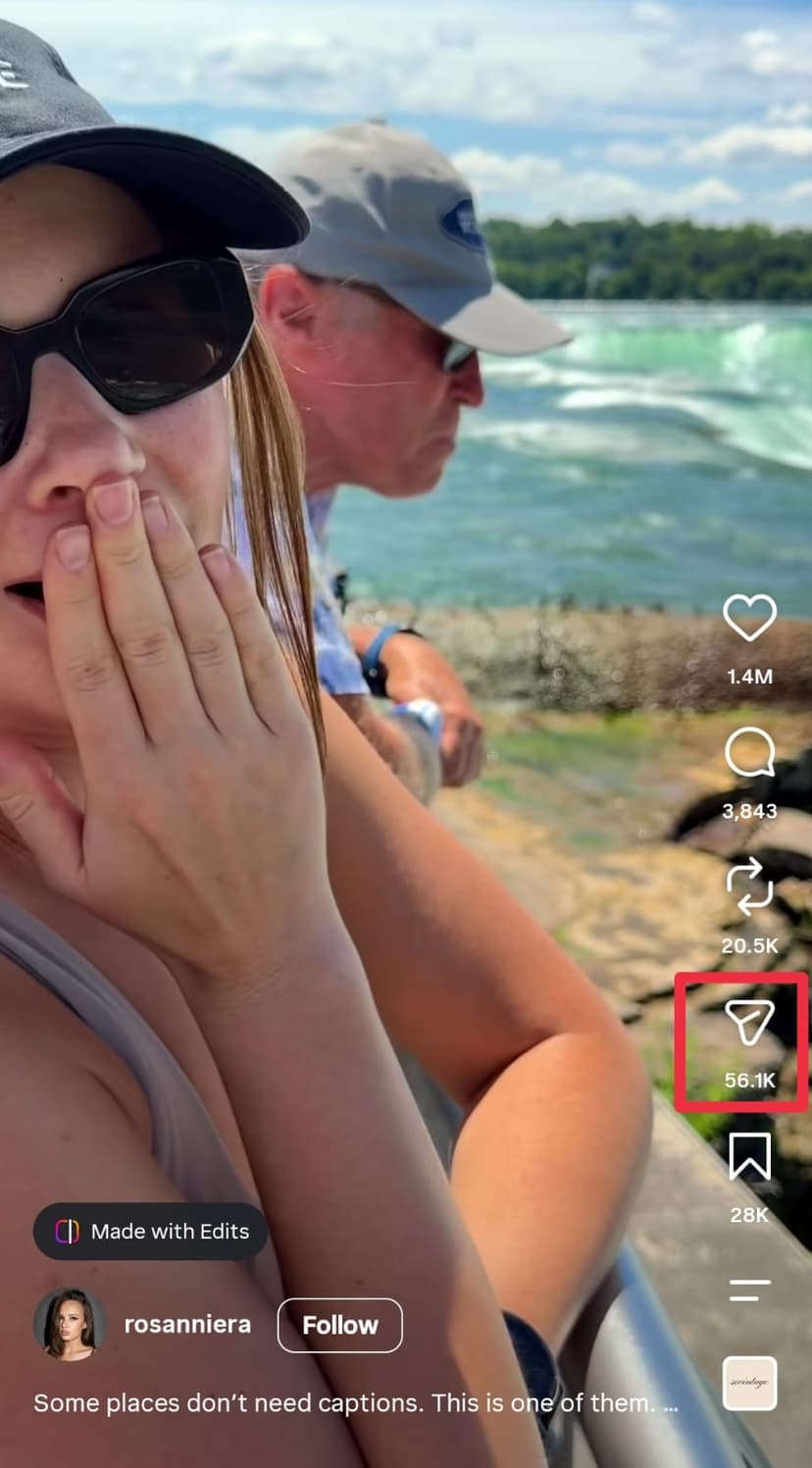
Open an Instagram Reel
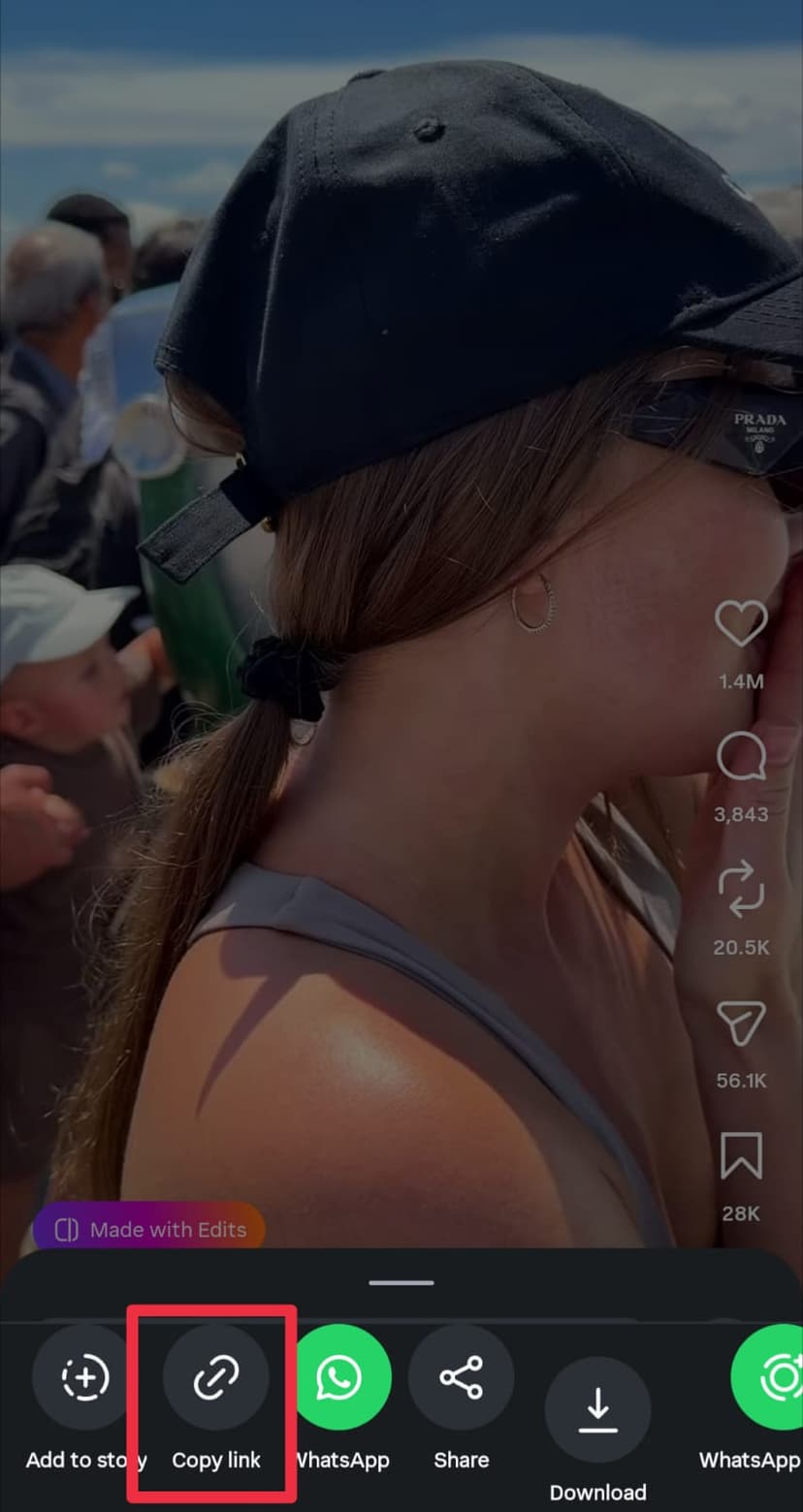
Copy the Reel link
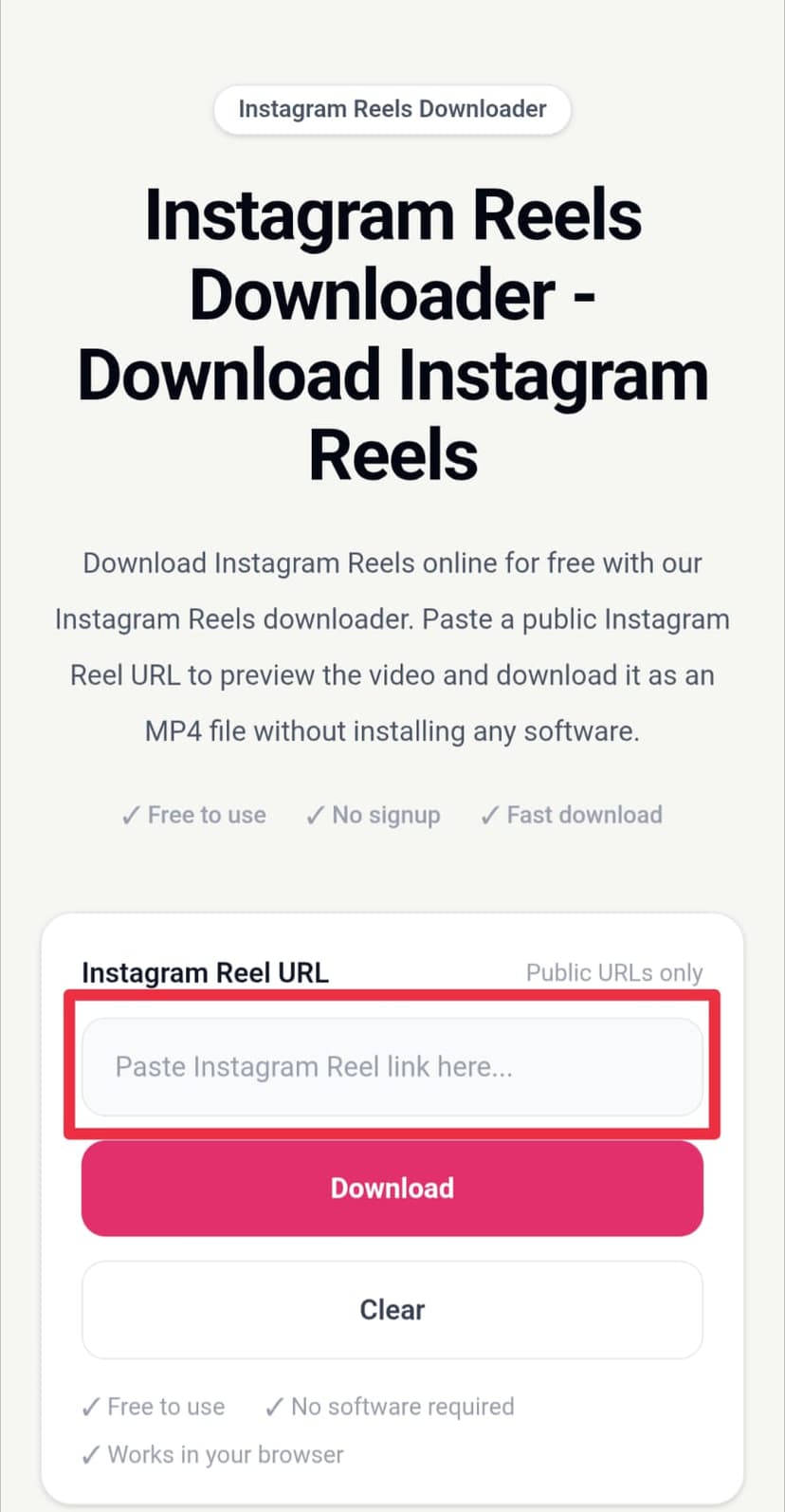
Paste the link and download
About Instagram Reels Downloader
Our Instagram Reels downloader lets you download public Instagram Reels online without installing an app or creating an account. Simply copy the link to an Instagram Reel, paste it into the downloader, and get your video ready to save.
Instagram Reels are short-form videos that can contain music, tutorials, entertainment, travel clips, educational content, recipes, and more. Sometimes you may want to save a public Reel so you can watch it later or keep a copy for personal use.
To download an Instagram Reel, copy the public Reel URL from Instagram and paste it into the input field above. Our tool processes the link and provides a video preview before you download the available video.
You can use the Instagram Reels video downloader directly from your browser. There is no software to install, and you do not need to sign up for an account. The tool is designed to work on desktop computers, tablets, and mobile devices.
The downloaded video is provided in MP4 format, making it easy to save and play on most modern devices and video players. Depending on the source available from Instagram, the video quality may vary.
This Instagram video downloader is intended for publicly accessible content. Private Instagram posts, private accounts, restricted content, or videos that are not publicly accessible may not be available for download.
Please respect the rights of Instagram creators and only download or reuse videos when you have permission or when doing so is permitted by applicable laws and the platform's terms.
Features
Download Instagram Reels directly from your web browser without installing additional software.
Copy a public Instagram Reel link, paste it into the downloader, preview the video, and download it.
Use the Instagram Reels downloader on smartphones, tablets, laptops, and desktop computers.
Preview the available Instagram Reel before saving the video to your device.
Save supported Instagram Reel videos as MP4 files for easy playback on your device.
FAQ
An Instagram Reels downloader is an online tool that allows you to save publicly accessible Instagram Reel videos to your device. You can paste a public Reel URL and download the available video without installing software.
Copy the link of a public Instagram Reel from the Instagram app or website, paste it into our Instagram Reels downloader, and click the download button. Once the video is processed, you can preview and save it as an MP4 file.
Yes. You can download supported public Instagram Reels online directly from your browser. No desktop software or separate downloader app is required.
Our downloader does not add a new watermark to the downloaded video. The result depends on the original video source provided by Instagram.
The downloader provides the available video source from the public Reel. If a high-quality source is available, you can download the video in that available quality.
No. The Instagram Reels downloader works in your web browser, so you do not need to install desktop software or a browser extension.
Yes. You can use the downloader from a mobile browser on Android phones, iPhones, and other supported mobile devices.
Yes. Open the Instagram Reel downloader in a desktop browser, paste the public Reel URL, and download the available video to your computer.
Yes. Supported Instagram Reel videos can be downloaded as MP4 files, which are compatible with most phones, computers, tablets, and common media players.
Copy the public Reel URL, paste it into the downloader, process the video, and use the download button to save the MP4 file to your device.
Make sure you copied the complete Instagram Reel URL and that the Reel is publicly accessible. Private posts, restricted content, deleted Reels, or temporarily unavailable videos may not be downloadable.
The downloader is designed primarily for publicly accessible Instagram Reels. Availability can depend on the Reel, its privacy settings, and whether Instagram makes the video source accessible.
Yes. You can use our Instagram Reels downloader for free without creating an account or installing additional software.
You do not need to sign up for our downloader. Simply provide the URL of a publicly accessible Instagram Reel.
No. Our downloader is intended for publicly accessible Instagram content. Private or restricted Reels cannot be downloaded if their video source is not publicly available.
Open the Reel in Instagram, tap the Share button, choose the option to copy the link, and then paste that URL into the downloader.
The tool is designed to process supported public Reel links quickly. Processing time can vary depending on the video source, video size, and your internet connection.
The available video quality depends on the source provided for the Instagram Reel. When a higher-quality video source is available, the downloader uses that available source.
Yes. Open the downloader in Safari or another supported browser, paste the public Instagram Reel URL, and download the available MP4 video.
Yes. The downloader works in supported Android browsers. Copy the Reel link from Instagram, paste it into the downloader, and save the available video.