


01
Pinterest Video Downloader Online
Download supported Pinterest videos online directly from your browser without installing separate downloader software.
Download Pinterest videos online for free. Paste a publicly available Pinterest video URL to preview and download the available video in high quality when supported, including the available version without a watermark when provided by the source.
More Tools
Explore our other free online video downloaders for supported platforms.
How it works
Open Pinterest, find the publicly available video or video Pin you want to save, and copy its URL from Pinterest.
Paste the copied Pinterest video link into the Pinterest video downloader above and start processing the URL.
Wait for the video to load, preview the available result, and download the available Pinterest video to your phone, tablet, or computer.
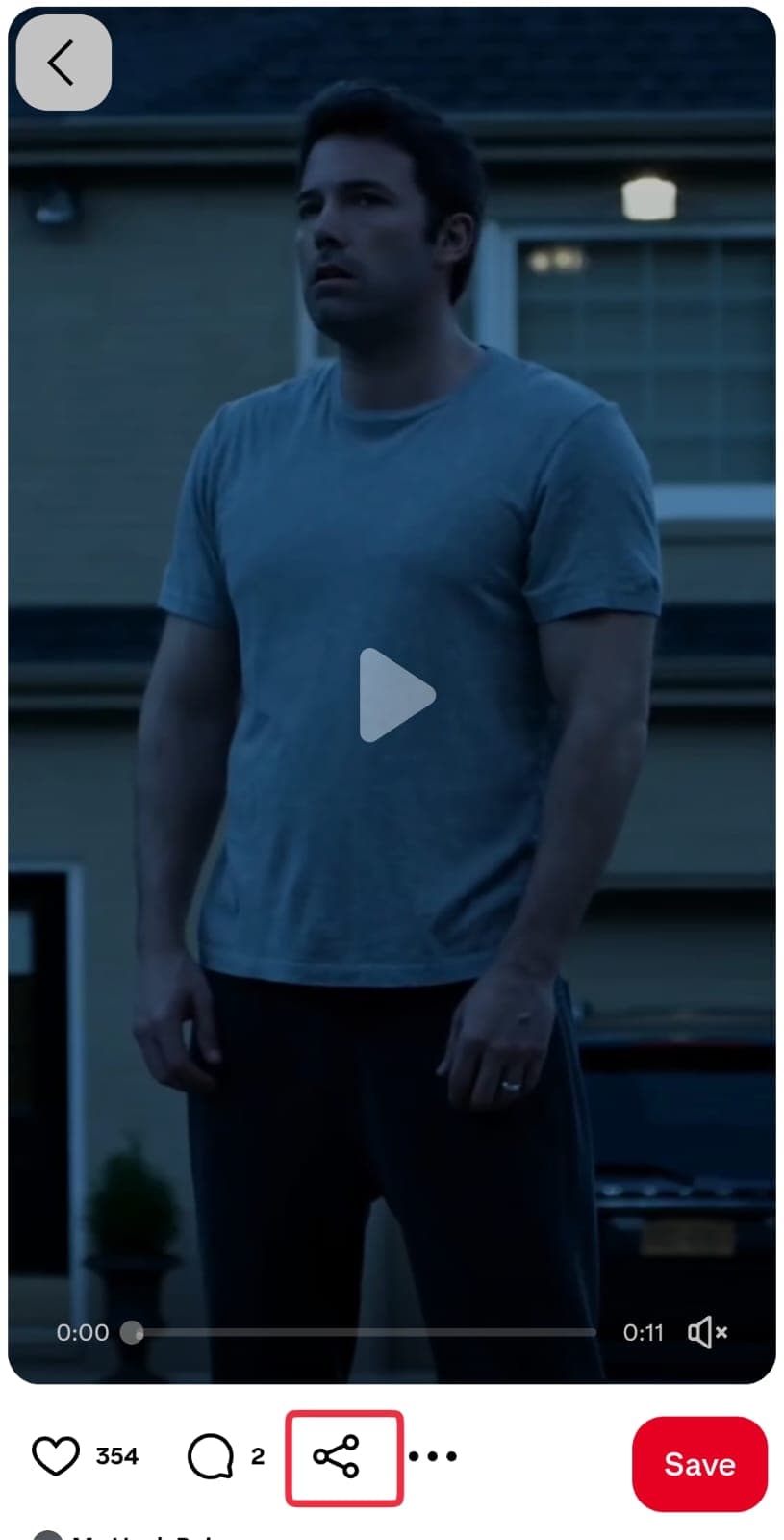
Open a Pinterest video
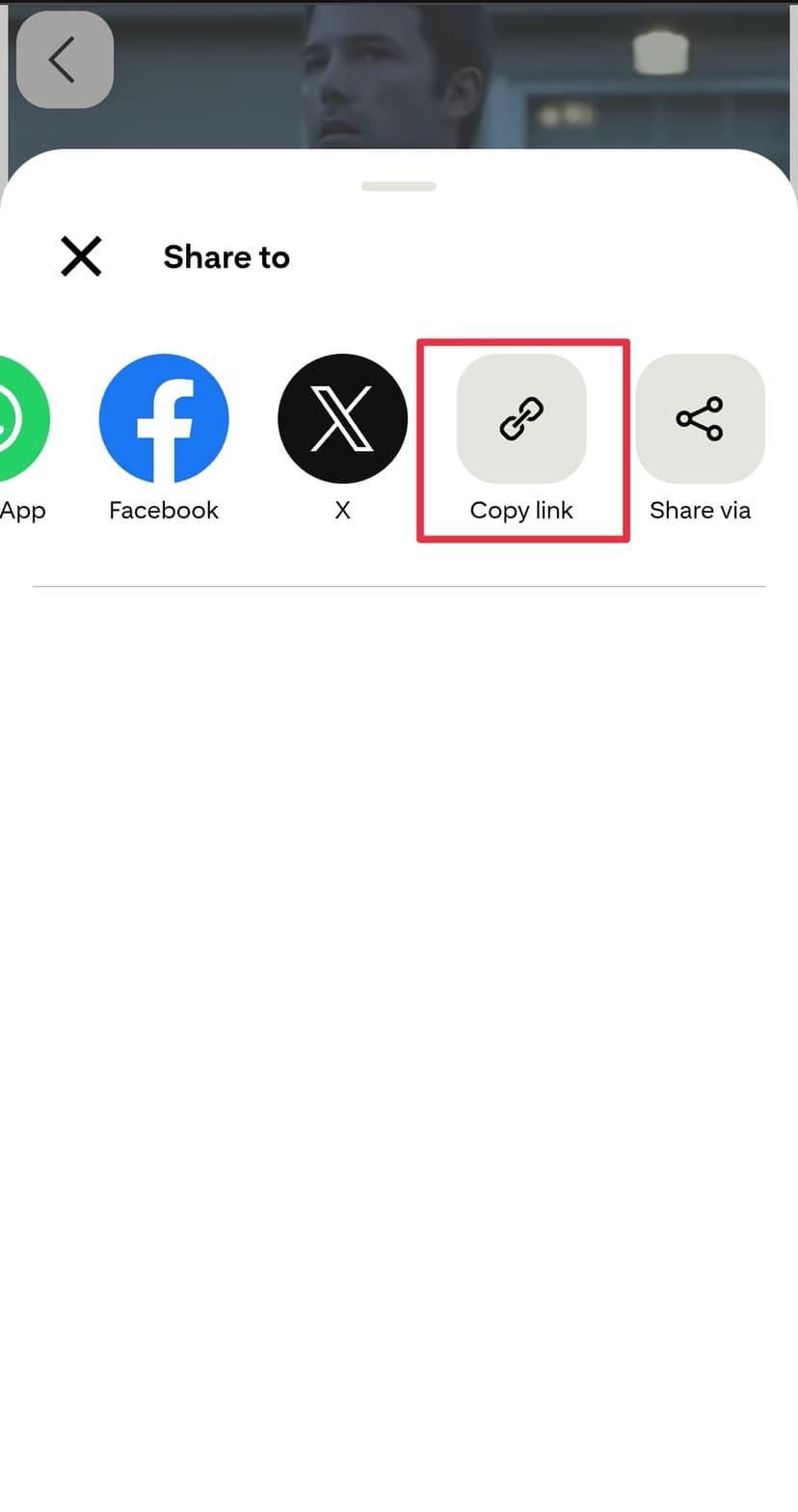
Copy the video link
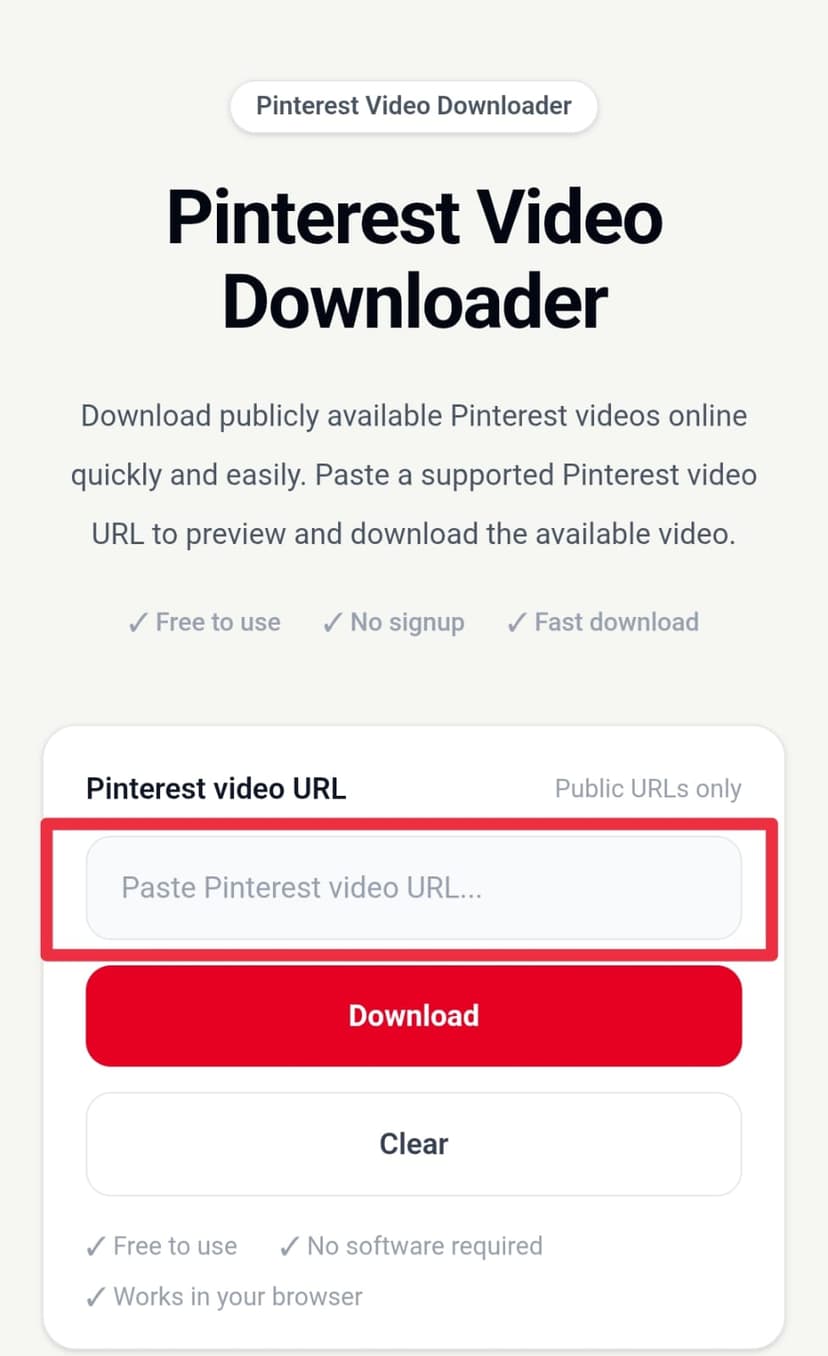
Paste the link and download
About the Pinterest Video Downloader
Our Pinterest video downloader is a free online tool for downloading publicly available Pinterest videos directly from your browser. Instead of installing separate software, simply copy the Pinterest video link, paste it into the downloader, and preview the available video before saving it to your device.
If you want to download a Pinterest video by link, open the video or video Pin on Pinterest and copy its public URL. Paste the link above and start the download process. When the URL is supported, the downloader retrieves the available video so you can preview and save it easily.
This Pinterest video downloader online works on desktop computers, laptops, tablets, iPhone, Android phones, and other modern devices with a supported web browser. You can use the same simple workflow whether you are downloading a Pinterest video on mobile or saving a video to a PC.
Looking for a Pinterest video downloader without watermark? When a source is available without a platform watermark, the downloader can provide that available version for download. Watermark availability depends on the individual Pinterest video and its source, so a watermark-free result cannot be guaranteed for every URL.
You can also use the downloader for Pinterest video download in high quality when a higher-resolution source is available. Depending on the source video, the available resolution may include HD, 1080p, or another supported quality. The actual resolution always depends on the video source.
For users who want to save Pinterest videos as a common video file, the available source may be provided in a supported format such as MP4. This makes it easier to save a Pinterest video to your phone, computer, or other device for personal access.
The tool is designed for publicly accessible Pinterest video URLs. Private, deleted, restricted, unavailable, or unsupported content may not be downloadable. Please make sure you have the right to save and use any Pinterest video you download.
Features
Download supported Pinterest videos online directly from your browser without installing separate downloader software.
Copy a public Pinterest video URL, paste it into the downloader, process the link, preview the available result, and download the video in a few simple steps.
Use the Pinterest video downloader on iPhone, Android, tablets, and other mobile browsers to download supported public Pinterest videos.
Preview the available Pinterest video before saving it to your device. The available quality depends on the original source.
Download the highest available quality from the supported source, including HD or higher resolution when that version is available.
When a supported source is available without a platform watermark, the downloader can provide that available version for download.
Save the available Pinterest video in a supported video format such as MP4 when that format is provided by the source.
FAQ
Open the Pinterest video you want to save, copy its public URL, paste the link into our Pinterest video downloader, and click Download. If the URL is supported, you can preview and save the available video.
Copy the URL of a publicly available Pinterest video or video Pin and paste it into the downloader. Once the link is processed, preview the available result and download the video to your device.
Yes. Our Pinterest video downloader is available online and is free to use. You can process supported public Pinterest video links directly from your browser without installing separate downloader software.
When a supported source is available without a platform watermark, the downloader can provide that available version for download. Watermark availability depends on the individual Pinterest video and its source.
The downloader provides the highest available quality from the supported source. If an HD or 1080p version is available for the Pinterest video, that available quality can be provided for download.
4K can only be provided when a supported Pinterest source actually contains a 4K version. The downloader does not create or upscale a 4K file when the original source is lower resolution.
When an MP4 video source is available, you can save the supported Pinterest video as an MP4 file. The available format depends on the source processed by the downloader.
Yes. Open the Pinterest video on your iPhone, copy the public video URL, paste it into the downloader in Safari or another supported browser, and download the available video.
Yes. You can use the Pinterest video downloader from a modern Android browser. Copy the public Pinterest video link, paste it into the downloader, and save the available result.
Yes. Open the Pinterest video downloader in a desktop browser, paste the public Pinterest video URL, process the link, preview the available video, and download it to your computer.
No. The downloader works directly in a supported web browser, so you do not need to install a separate app, desktop program, extension, or APK.
No Pinterest login is required to use the downloader for supported public video URLs. You only need the publicly accessible Pinterest video link.
The downloader is designed for publicly accessible Pinterest video links that can be processed by the service. Private, restricted, deleted, unsupported, or unavailable links may not work.
A Pinterest short link may work when it resolves to a publicly accessible supported Pin. If the short URL does not process correctly, open the Pin and copy its full public Pinterest URL instead.
No. The downloader is intended for publicly accessible Pinterest content. Private or secret Pins that require authorization may not be accessible to the service.
Supported publicly accessible video Pins can be processed by the downloader. Idea Pins or other Pinterest content types may work when their video source is publicly available and supported.
The downloaded file is normally saved by your browser to its default Downloads location. On mobile, check your device's Downloads folder, Files app, Gallery, or Photos app depending on your browser and device settings.
The URL may be unsupported, the Pin may not be publicly accessible, the video may have been removed or restricted, or the source may temporarily be unavailable. Make sure you copied the correct public Pinterest video URL and try again.